A New Way to Create Event Graphics
I used ChatGPT and Canva to create a coordinated set of event graphics and a practical resource for members, while learning how clear direction and editable layers made the process work.
I recently used AI to help prepare promotional materials for an upcoming event for the Capital Chordsmen, a community chorus I’m part of. To use social media, our website, printed materials, and other channels effectively, I needed a variety of sizes and versions of the same basic graphics. I also wanted to make it as easy as possible for members to spread the word, so I wanted to create a resource with everything they would need.
Rather than build every graphic and version from scratch in Canva, I turned to my trusty ChatGPT. I had to figure out how to get the designs I wanted and make them editable without having the AI take them off course, which has been my experience when generating images in the past. I needed to make sure our logo and brand elements weren’t changed in any way, so I needed a way to preserve those while adjusting other parts of the design.
I connected ChatGPT to my Canva account, then figured out how to prompt it to create editable images with independent layers. I provided clear boundaries, direction, and reference material. When a result wasn’t quite right, I was able to ask ChatGPT to make changes or open the design directly in Canva and adjust it manually.
Once I had the first graphic where I wanted it, I used the same approach to create versions in different shapes and sizes for specific uses, then fine-tuned each one. After I had the graphics, I also created a one-page resource for everyone in our group to use, with the event details, a link to the ticket site, links to graphics, and message templates for text, email, and in-person conversations.
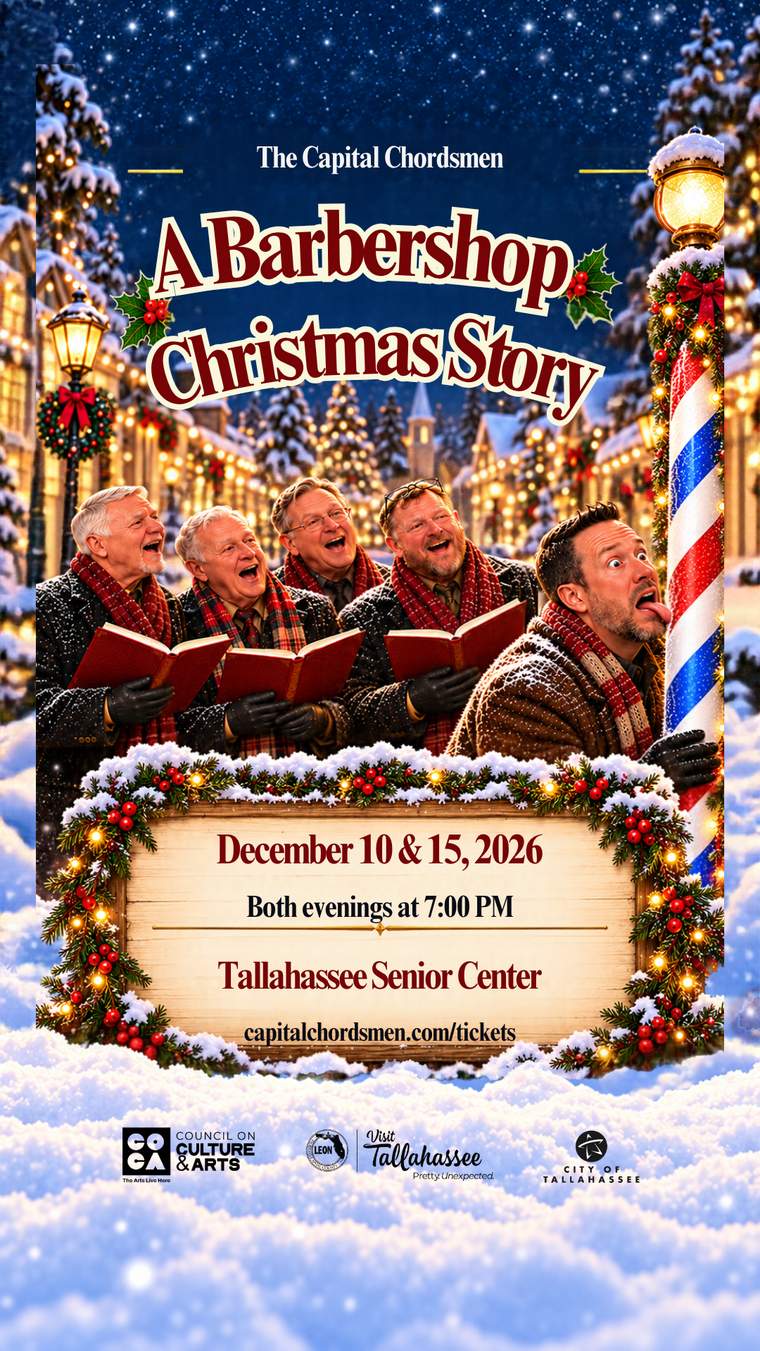
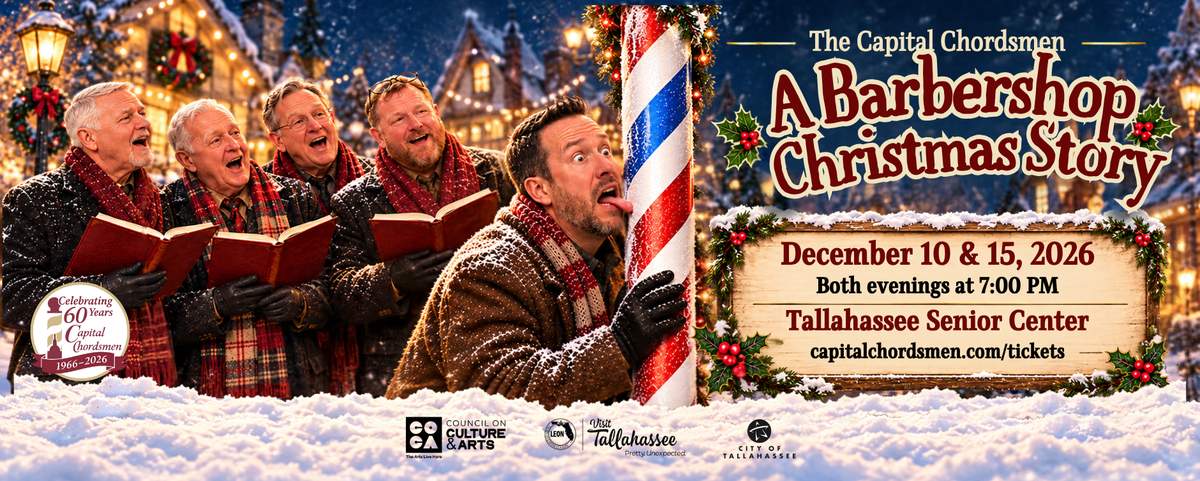
Using ChatGPT as my design partner helped me create a coordinated set of graphics and work through a large amount of information quickly. It also helped keep details consistent across versions and reduced the chance of the transcription errors I might make copying information from one version to another. I still checked the work. AI can help reduce mistakes, but it doesn’t replace a final review. I was able to complete in a few hours what would have taken me much longer to produce on my own, and the graphics were better than I could have created without that help.
I’m pleased with what I produced, but I’m also excited to keep exploring how AI can help me do things better, faster, or more reliably. Is there something you’ve been curious about trying with AI, or a task you’d like to approach in a different way?